This started as an internal project where we needed a structured, reusable security layer for an MCP server we built to expose database queries and data to different user roles such as support, analysts and admins. I’ve since published a generalized version of that layer on GitHub at mcp-shield. The public version differs from our internal tool in a few places — mainly around customer data masking policies and business logic specific to the textile recycling and compliance domain I work in.
Why this project exists
Building MCP servers has become common, but I keep noticing the same gap: the data-fetching layer is missing the kind of controls you’d never ship a backend API without. Things like:
- RBAC
- Query limits to prevent fetching huge result sets
- Row-level security tied to the user’s identity
- Mapping business logic to the underlying queries
- Masking of customer-sensitive fields
These controls are largely absent in how MCP servers are built today. This project is my attempt to fill that gap with a security middleware that can be dropped in as a standard.
The codebase is designed as a class that supplies the policy to the MCP server.
The flow

user question
    │
    ▼
LLM/MCP client → picks tool (e.g. read_query) and writes SQL
    │
    ▼
MCP server tool handler
    │
    ├─ shield.check_tool(identity, "read_query")     ← RBAC on tool
    │
    ├─ shield.rewrite(sql, identity):
    │     ├─ parse SQL                                ← syntax / single-stmt
    │     ├─ check_tables (RBAC on tables)            ← RBAC on data
    │     ├─ validate (no writes, function whitelist)
    │     ├─ inject RLS predicates into WHERE         ← RLS
    │     ├─ strip explicit denied columns
    │     └─ cap LIMIT
    │
    ▼
safe SQL → database → raw rows
    │
    ▼
shield.redact(rows, table, identity)                  ← masking (on output)
    │
    ▼
masked rows → MCP client → answer to user
Why masking happens after the query, not before
RBAC and RLS are SQL-time controls. They change which rows and tables the database is even asked about. Enforcing them before the query keeps the database doing less work and prevents leakage at the source.
Masking is different. It transforms values (ada@example.com → a***@example.com). The database still needs the real value to filter and join on — you only want the masked form to leave the process. So masking runs on the rows the database returns, just before they’re handed back to the client.
You can see this in examples/mcp_server/server.py:88-98: check_tool → rewrite → conn.execute(safe_sql) → shield.redact(rows, ...).
So: RBAC + RLS before the query, masking after.
The policies, with examples
Let’s walk through each policy and what it does to the data.
Policy 1 — RBAC on tools
An analyst doesn’t have permission to delete customers, so that operation is blocked entirely.
Caller input: calls tool delete_customer
After shield:  AccessDenied: tool 'delete_customer' not allowed for roles ['analyst']
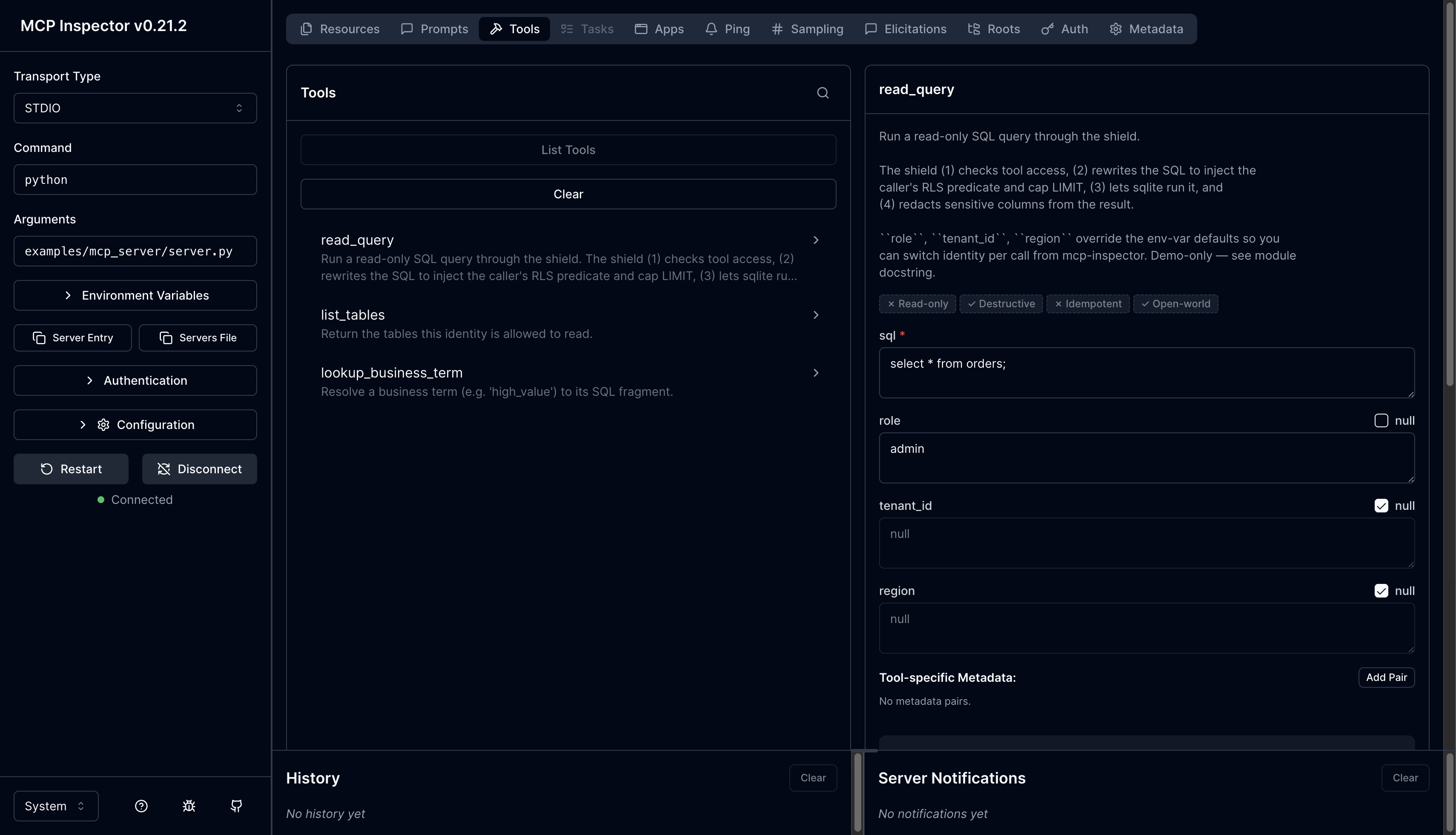
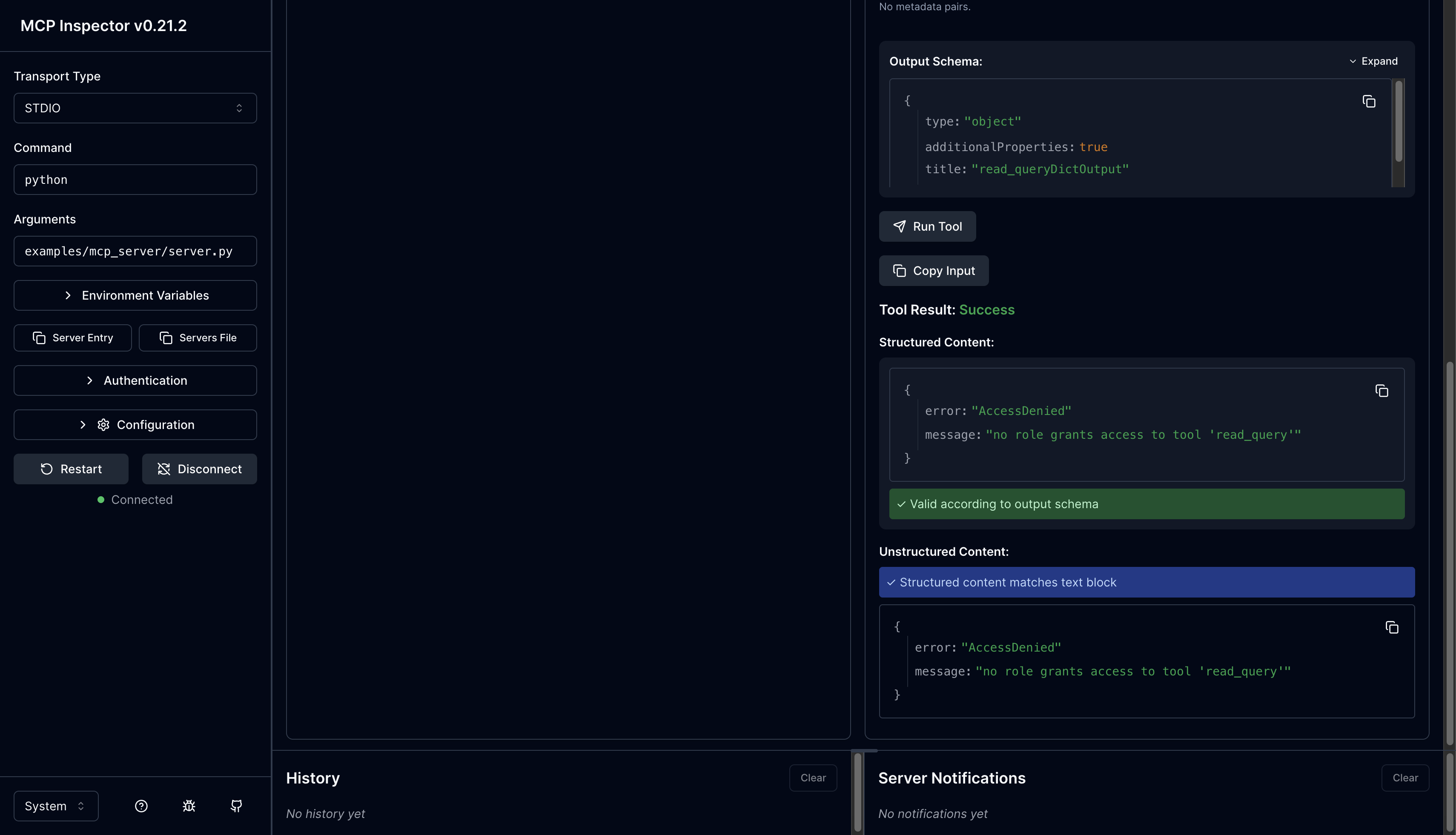
The same idea in the Inspector — an admin role calling read_query (which it isn’t granted) is rejected outright:
Policy 2 — RBAC on tables
The analyst also doesn’t have access to the invoices table, so any query touching it is blocked.
Caller input: SELECT * FROM invoices
After shield: AccessDenied: table 'invoices' is not in allow_tables
Policy 3 — No writes
Some roles only have read access. Write statements from those roles are rejected to avoid data corruption or unauthorized writes.
Caller input: DELETE FROM customers WHERE id=1
After shield: ValidationError: write statements are not allowed
Policy 4 — Single statement only
LLMs can be tricked into producing multiple statements in one call. To prevent that — and the security risk it carries — only one statement is allowed at a time.
Caller input: SELECT * FROM customers; DROP TABLE orders
After shield: ParseError: multiple statements are not allowed
Policy 5 — Row-level security
Every row carries something like tenant_id or customer_id for row-level access control — a common pattern in multi-tenant databases. The shield injects the matching predicate into the WHERE clause automatically.
Caller input: SELECT id, tier FROM customers WHERE tier='gold'
After shield: SELECT id, tier FROM customers WHERE tier='gold' AND tenant_id='acme' LIMIT 50
Policy 6 — Column-level control
Some columns shouldn’t be exposed at all. For example, tenant_id itself leaks information about the row-level access scheme, so it gets stripped before the query is run.
Caller input: SELECT id, tenant_id, email FROM customers
After shield: SELECT id, email FROM customers WHERE tenant_id='acme' LIMIT 50
Policy 7 — Limit cap on returned rows
When a query returns a large result set, it introduces network lag — and MCP servers run over persistent connection protocols like webhooks and server-sent events, where bandwidth matters. A default limit is always applied.
Caller input: SELECT id FROM products
After shield: SELECT id FROM products LIMIT 50
If the caller explicitly asks for more than the permitted limit, it still gets capped:
Caller input: SELECT id FROM products LIMIT 1000
After shield: SELECT id FROM products LIMIT 50
If the limit is already below the cap, it’s left untouched:
Caller input: SELECT id FROM products LIMIT 10
After shield: SELECT id FROM products LIMIT 10 (untouched)
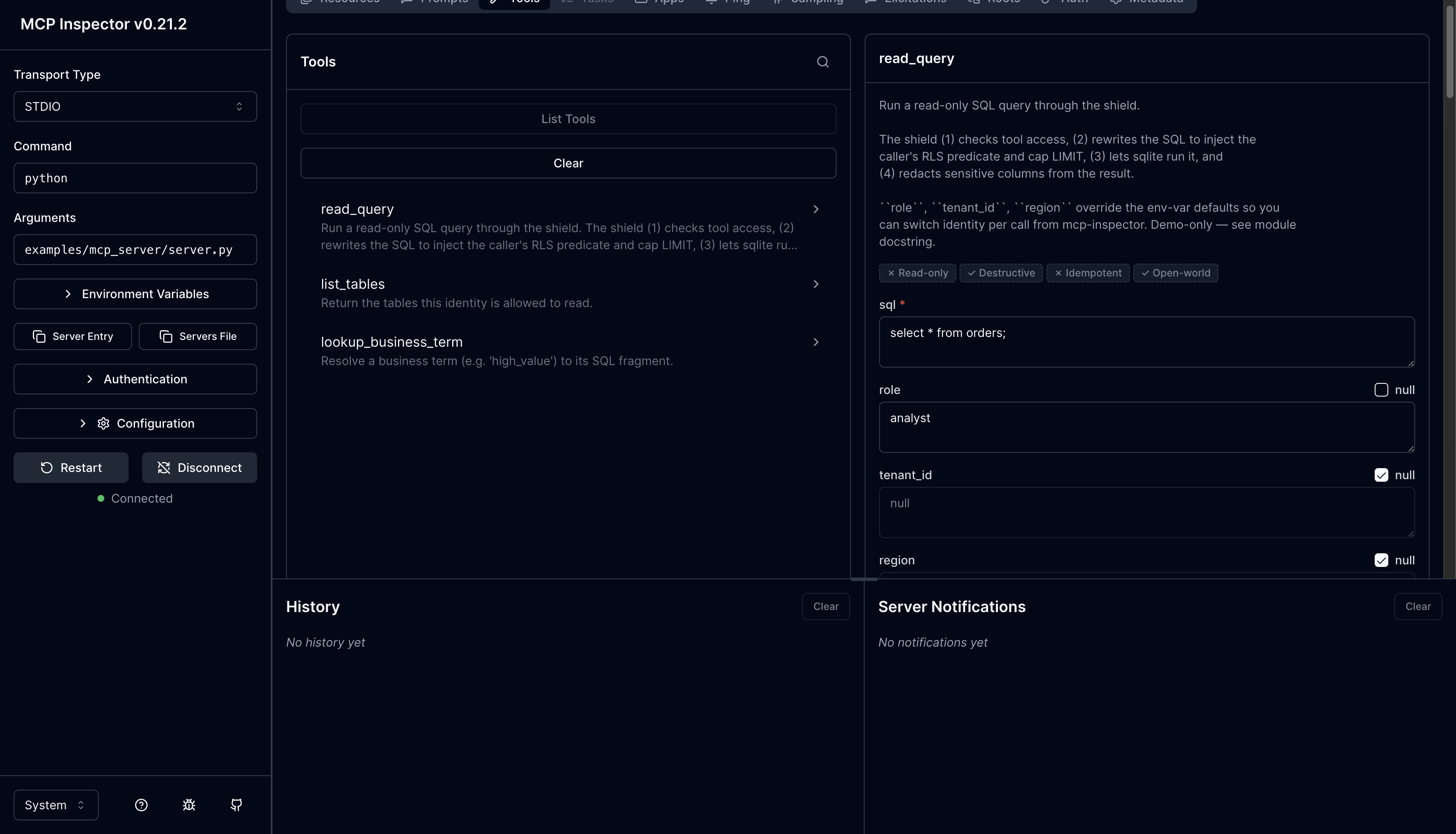
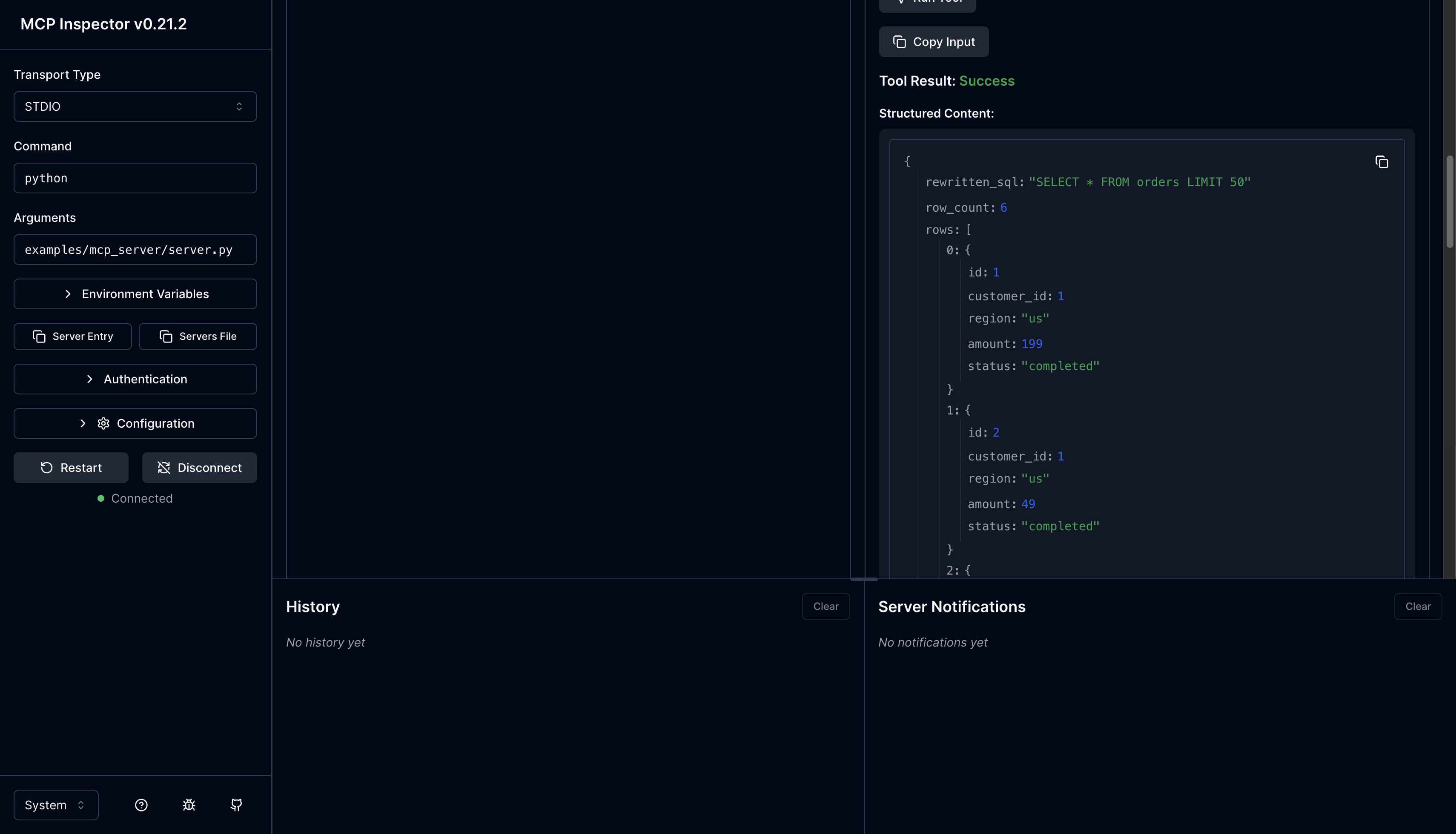
In the Inspector, an analyst running SELECT * FROM orders gets the rewritten SQL back with LIMIT 50 injected:
Policy 8 — Redaction (masking sensitive fields)
Fields like email and full name shouldn’t be visible to every role. These are redacted on the way out.
Caller input: DB row {"email": "ada@example.com"}
After shield: {"email": "a***@example.com"}

Caller input: DB row {"full_name": "Ada Lovelace"}
After shield: {"full_name": "A. L."}
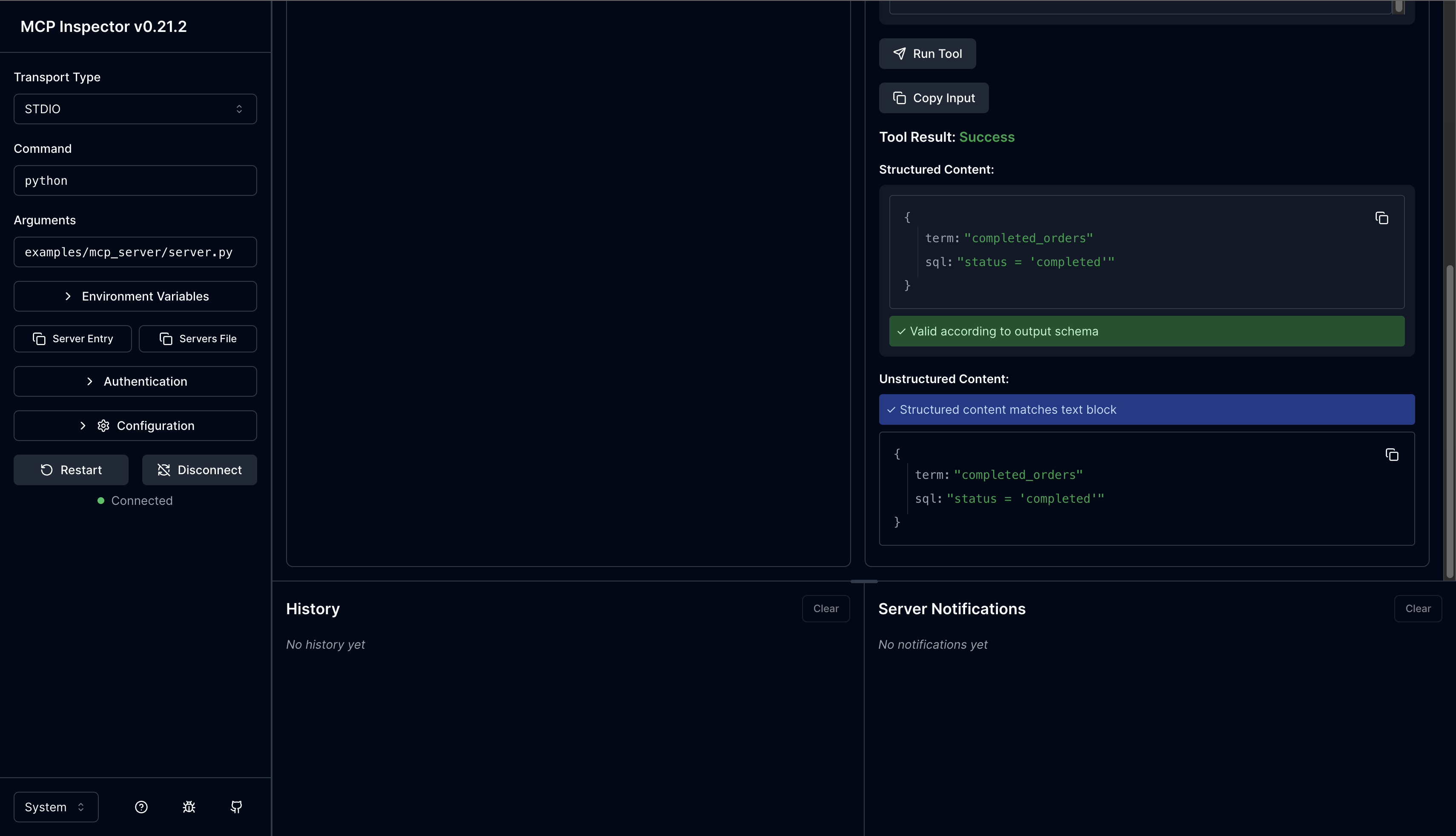
Policy 9 — Business glossary
Some users aren’t familiar with SQL columns but know the business terms. The shield maintains a mapping between business terminology and SQL fragments so those terms can be substituted into a query before rewrite.
Caller input: shield.lookup_term("high_value")
After shield: "tier = 'gold'" (host substitutes into SQL before calling rewrite)
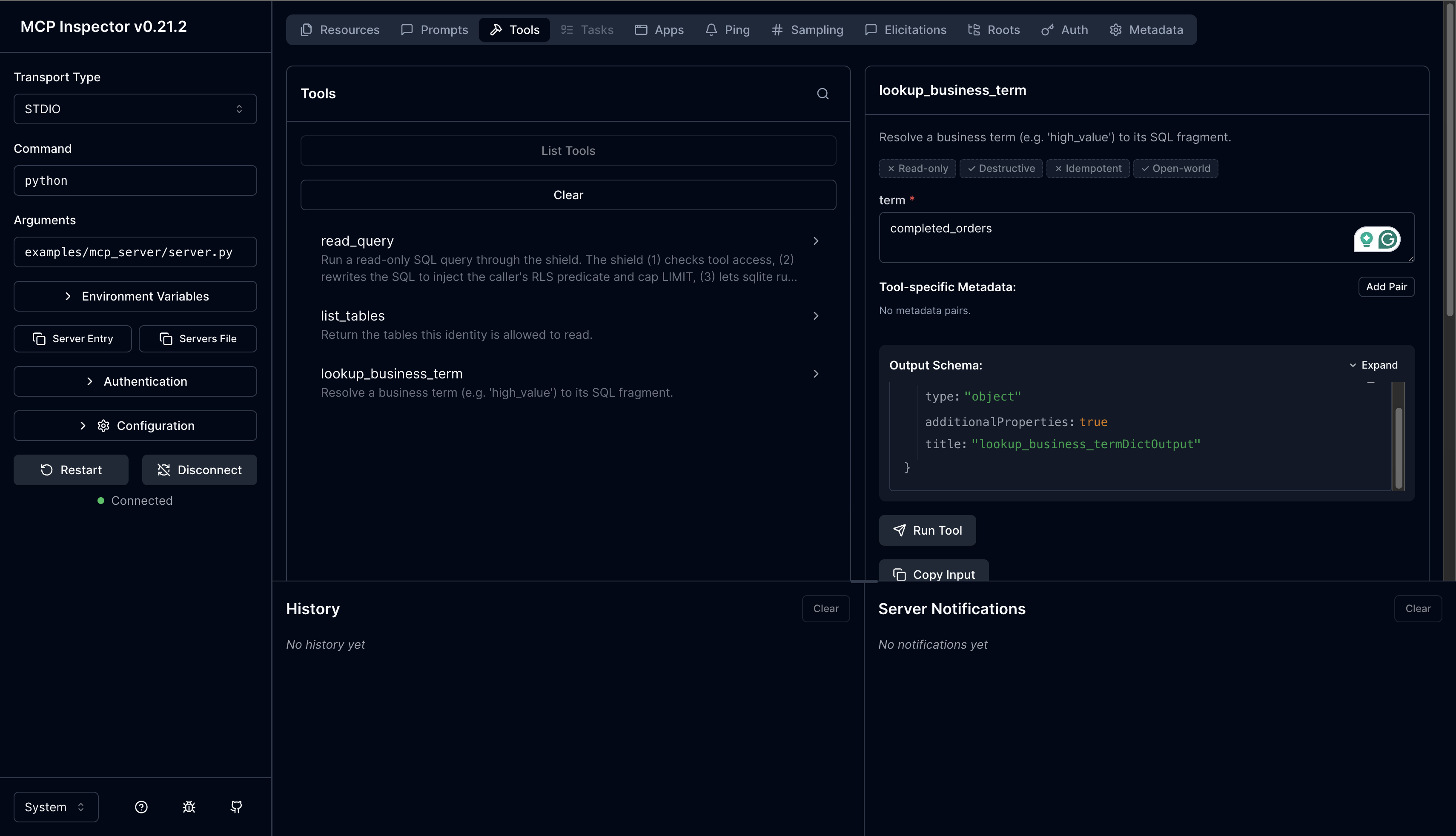
Calling lookup_business_term in the Inspector with completed_orders returns the SQL fragment that the host can splice into a query:
These are all the policies currently in mcp-shield.
Trying it out
There are two ways to exercise the shield. Both are also documented in the README.
1. The smoke test
examples/mcp_server/_smoke.py runs the demo FastMCP server’s tool functions in-process against a seeded SQLite DB across 7 scenarios — RBAC, RLS, redaction, and the validator all in a single pass.
From the repo root:
pip install -e ".[dev]"
pip install "mcp[cli]"          # FastMCP runtime — not in declared deps
python examples/mcp_server/seed.py
python examples/mcp_server/_smoke.py
seed.py populates the SQLite DB with data for the example queries.
Expected output (note the RLS injection, the LIMIT cap, and the redacted rows):
--- analyst@acme: SELECT * FROM customers ---
rewritten: SELECT id, full_name, email, tier FROM customers WHERE tenant_id = 'acme' LIMIT 50
rows:
  {'id': 1, 'full_name': 'A. C.', 'email': 'a***@acme.test', 'tier': 'gold'}
  {'id': 2, 'full_name': 'B. M.', 'email': 'b***@acme.test', 'tier': 'silver'}
The caller is an analyst, the shield scopes the query to their tenant_id and caps it at 50 rows. Two rows match the filter, so two rows come back.
2. The MCP Inspector
For interactive exploration, run the demo server under @modelcontextprotocol/inspector. Each tool accepts optional role, tenant_id, and region arguments, so you can switch identity per call without restarting the server.
python examples/mcp_server/seed.py
npx @modelcontextprotocol/inspector python examples/mcp_server/server.py
Or set defaults at launch with env vars (DEMO_ROLE, DEMO_TENANT_ID, DEMO_REGION) — per-call args still override them:
DEMO_ROLE=support DEMO_REGION=eu \
  npx @modelcontextprotocol/inspector python examples/mcp_server/server.py
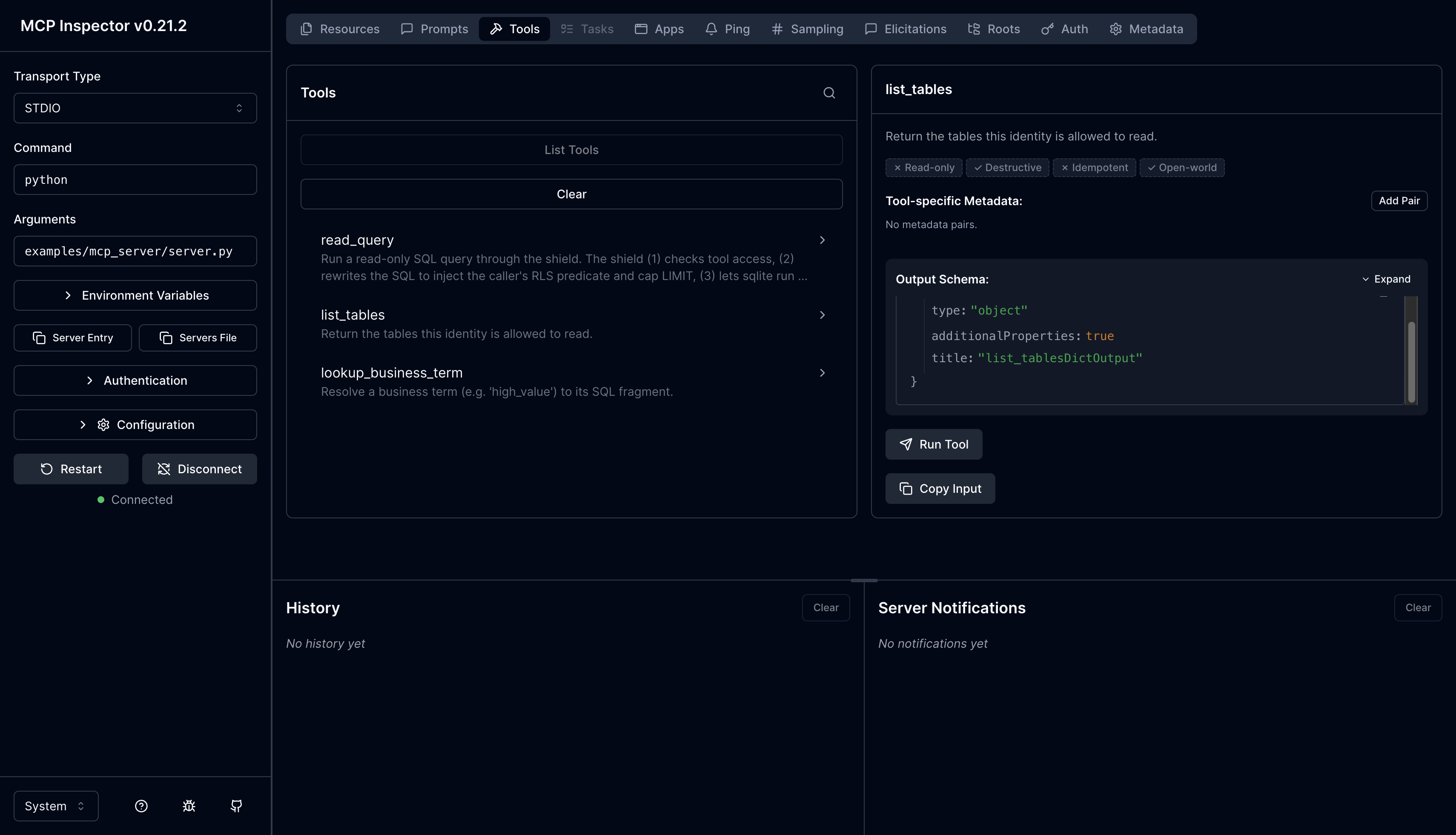
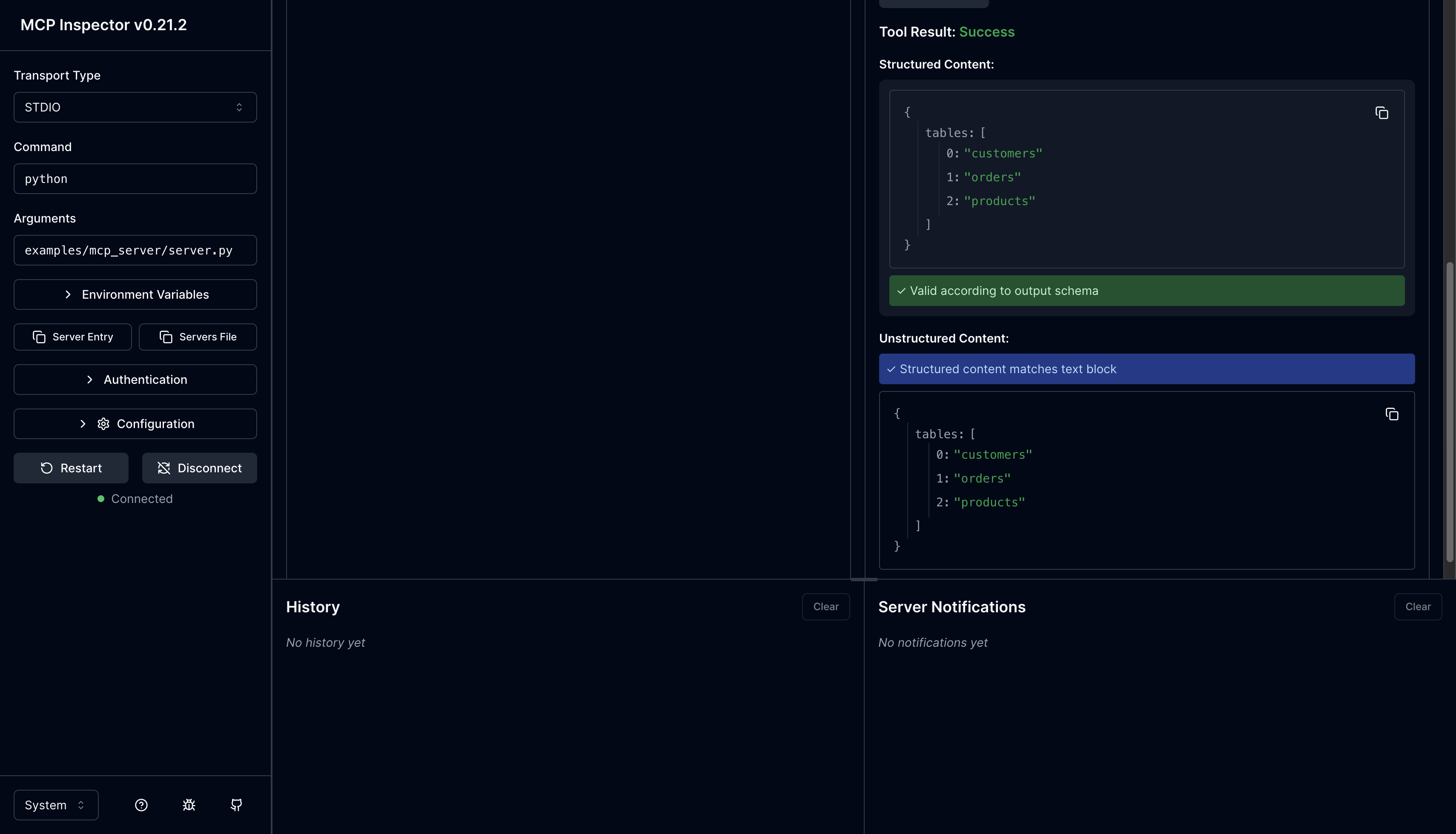
You can pass the role at launch, or configure it later under the tools section of the Inspector UI. Once connected, you’ll see the three tools the demo server exposes — read_query, list_tables, and lookup_business_term. Running list_tables for example returns just the tables the caller’s role is allowed to read:
Wrapping up
This is the summary of the mcp-shield project. I would encourage to extend it further with more policies that aligns with the business use cases and security requirements.