Agents are usually taught with a skills.md file that someone writes by hand. I wanted to test a different idea: can that knowledge be generated automatically instead, in a way that’s testable and repeatable?
To find out, I built an open source project called agentic-knowledge-transfer. It records a user performing a task on a website, then generates skills.md from what it observed, instead of a person writing it by hand. The agent runs on Qwen2.5-VL, a local open-weights model, inferenced through Ollama instead of a hosted foundation model. That also tests something else: whether a local model, given the right harness, can act as an agent on its own.
Overview
Concretely, here’s the pipeline:
-
Create a project with a webpage URL.
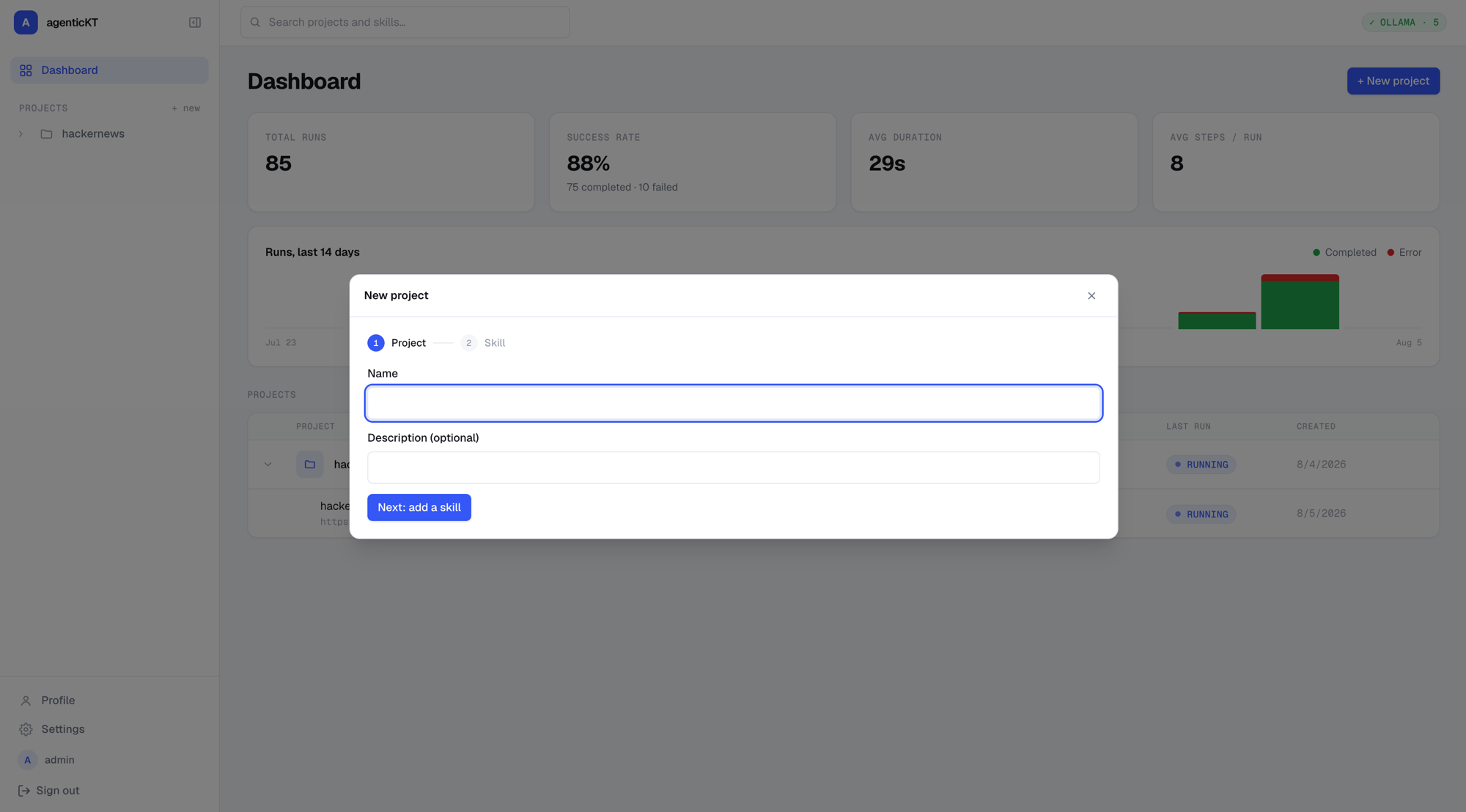
Then create a task for a skill: name it and give it a start URL, the page the task begins from.
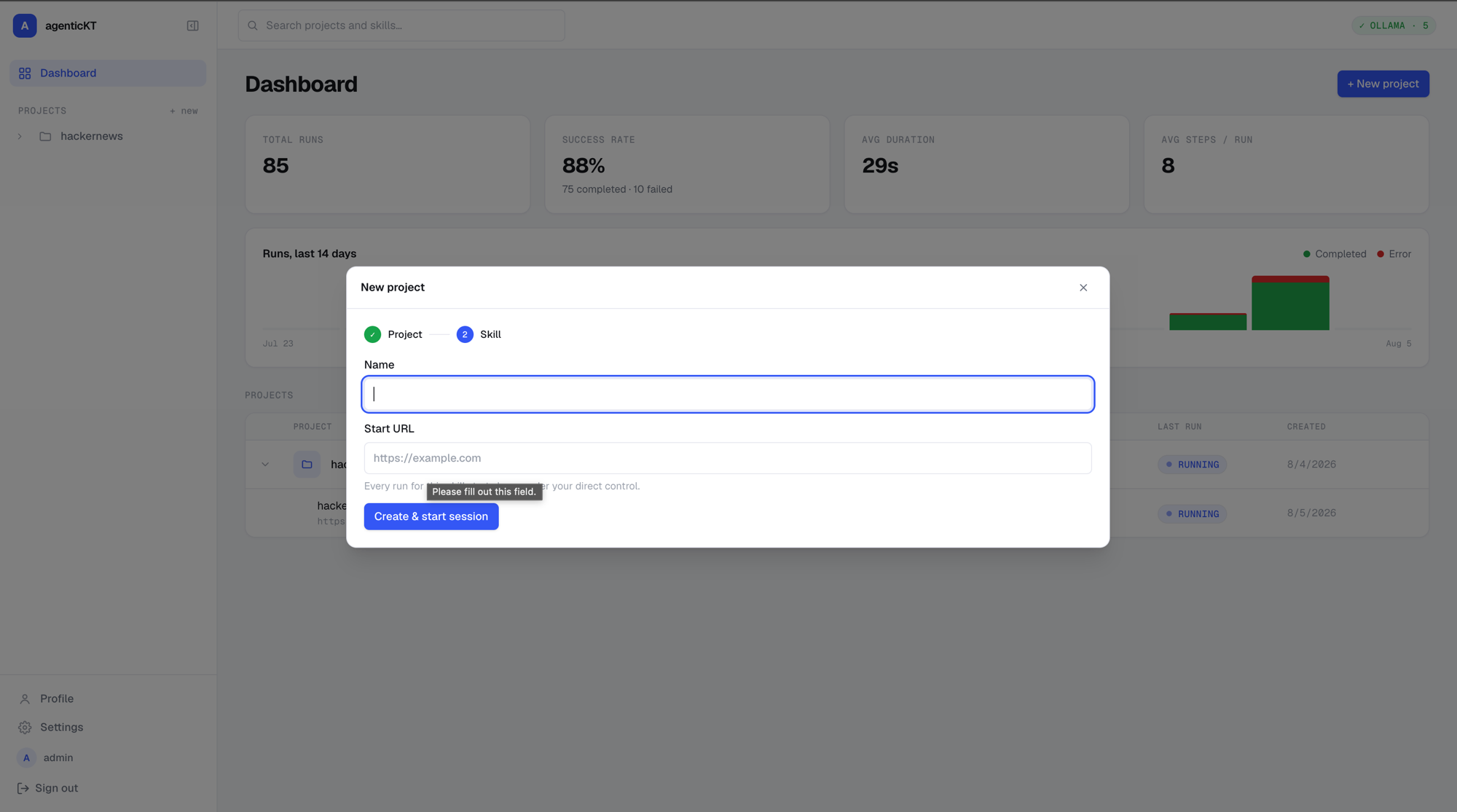
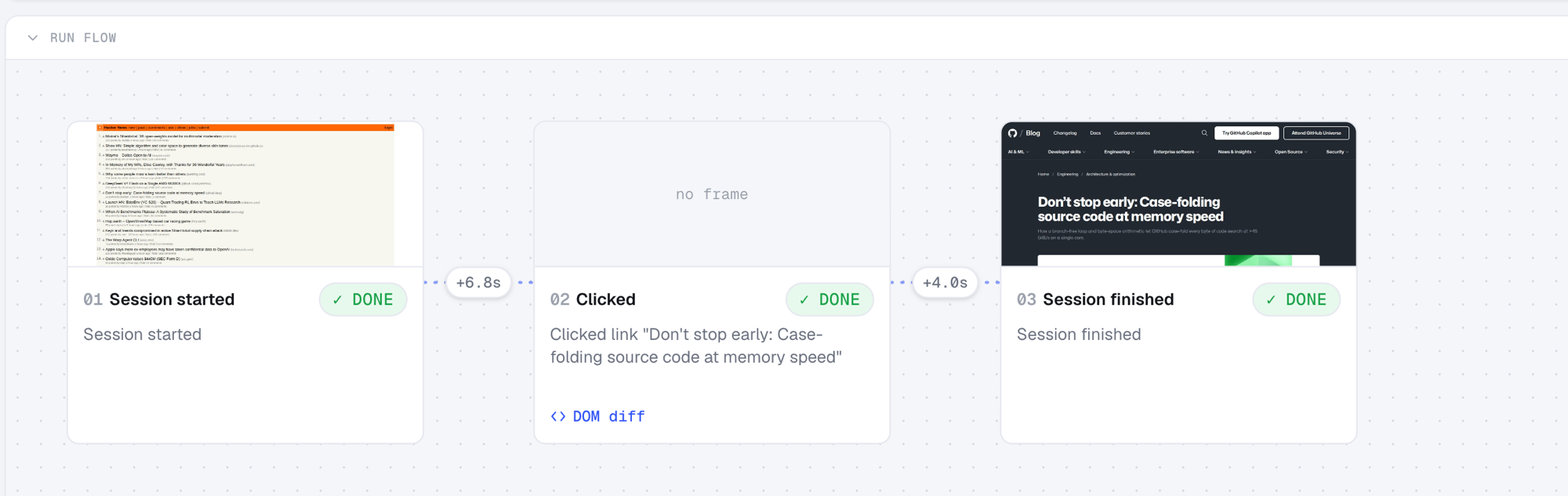
- The user performs a sample task on the website. This is recorded along with the accessibility tree, DOM, DOM diffs, and a screenshot of each action.
- Qwen2.5-VL summarizes the actions performed, and that summary is used to generate a
skills.mdfile.
This is the first stage: generating skills.md from observed actions instead of a user writing it by hand.
The generated skills.md is then tested live against the website to confirm it can reproduce the user’s actions exactly.
Once that’s verified, the next stage is generating similar tasks on the same website. A depth parameter controls how many alternative tasks get explored. This is essentially telling the agent to learn the website and propose other plausible tasks it could perform. Once these alternatives are generated, a more detailed skills.md file can be built that captures the website end to end, giving broader coverage.
Once a website’s skills.md is available, the final stage is handing the agent a prompt to perform a specific task on that website. The agent relies solely on the website’s skills.md to complete it.
Context Limitations
Before going further, it’s worth explaining why I don’t just let the agent rely on the model’s context window to hold this knowledge. This project generates a lot of visual and textual artifacts per task — screenshots, DOM, DOM diffs, accessibility trees — so I wanted to understand how much of that an LLM’s context can actually retain, and for how long.
That raised a few questions: What is context length? When new information comes in, what happens to the older information? I’m using Qwen2.5-VL (qwen2.5vl:latest, 8.3B, Q4_K_M, vision) as the completion model, inferenced through Ollama. Here’s a brief rundown of how context is managed.
Context Management
When running Qwen2.5-VL through Ollama, a parameter called num_ctx sets the maximum context length allocated for a session. Memory for the KV cache is allocated upfront for the full num_ctx, so setting it to 32768, for example, reserves space for 32K tokens’ worth of KV vectors even if the conversation is only 500 tokens long.
When context is exceeded in subsequent turns, older tokens get dropped from the front once the limit is hit. Qwen2.5-VL also keeps a prompt cache per session: if the next request shares a prefix with the previous one (say, the same system prompt plus conversation history), it can skip recomputing KV for that prefix, which makes the request faster.
The KV Cache
Context is the information the model builds up as it receives more input about the data or task. It’s computed by the attention mechanism and held in the KV cache. The model’s weights themselves are static; when a prompt comes in, the runtime maintains a separate KV cache that grows as tokens are processed.
- Each transformer layer computes a Key and Value vector per token during attention.
- Instead of recomputing these for every prior token at each new generation step, they’re cached in GPU/CPU memory.
- Each new token only needs to compute its own KV, then attends over all cached KV from previous tokens.
The KV cache scales linearly with context length. A rough formula for the memory cost:
2 (K and V) × num_layers × num_heads × head_dim × context_length × bytes_per_value
For Qwen2.5-VL’s language backbone:
| Parameter | Value |
|---|---|
| num_hidden_layers | 28 |
| num_attention_heads (query heads) | 28 |
| num_key_value_heads (GQA) | 4 |
| head_dim | 128 (3584 hidden / 28 heads) |
Per-token cache footprint:
elements/token = 2 (K,V) × num_layers × num_kv_heads × head_dim
               = 2 × 28 × 4 × 128
               = 28,672 elements/token
At fp16 (2 bytes/value, the default KV cache precision when Qwen2.5-VL is inferenced through Ollama):
28,672 × 2 bytes = 57,344 bytes/token ≈ 56 KB/token
At q8_0 quantized KV cache (1 byte/value, optional flag):
28,672 × 1 byte = 28,672 bytes/token ≈ 28 KB/token
Example: for a 4,096-token session at fp16, that’s 28,672 × 4,096 = 117,440,512 elements, or 234,881,024 bytes ≈ 224 MB just for the KV cache.
Try it with other models below, GQA is why Qwen2.5-VL and Llama 3 need a fraction of what Llama 2’s full multi-head attention costs.
KV cache size calculator
Vision Encoding
This project deals with screenshots of webpages, so image data has to go through the vision model too. An image is split into pixel patches, producing a grid of visual embeddings. Qwen2.5-VL preserves the image’s native aspect ratio and resolution, producing a variable number of visual tokens proportional to image size rather than resizing to a fixed shape. Those patches are converted into embeddings, combined with positional encoding, and inserted directly into the input sequence, which is why higher-resolution images consume more tokens.
This calculation only holds for the autoregressive decoder. When an image comes in, it first goes through the vision encoder, which isn’t autoregressive. Unlike the decoder, the encoder doesn’t generate patch embeddings one at a time, with each new patch attending back to a cache of earlier ones. Instead, all patches are processed together in a single forward pass, attending to each other directly. The output is the complete set of patch embeddings, computed once, in parallel, so there’s no need for caching at the encoder stage.
Once the embeddings are handed to the decoder, they enter the autoregressive stage: the decoder computes KV for those image-embedding tokens once, caches them like any other prompt tokens, and reuses that cache going forward. If the same image is sent again, though, the encoder itself doesn’t cache anything; it recomputes from scratch rather than reusing prior work.
Context to Knowledge Graph
All of this points to the same conclusion: the KV cache is a good mechanism for a single session, but it’s ephemeral, bound to one model, and expensive to grow. It’s the wrong place to store knowledge that should persist and transfer across tasks, sessions, or even models.
That’s the core idea behind this project: store the context knowledge as a knowledge graph in Memgraph, built from tasks and their generated alternatives, and reuse it on new, unseen tasks. The hypothesis is that once an agent learns the foundational structure of a website, other tasks on that same site become easier to perform autonomously.
This reframes the problem: instead of relying on the model’s in-memory context, tasks become entries in a knowledge graph. That knowledge becomes transferable across models and no longer depends on any single model’s context window.
Stages
The workflow is broken into stages. First, a project is created for a website. Then a skill is built for it — a skill is just the set of actions needed to perform one task on that website.
-
Teaching — the user performs a sample task on the website.

-
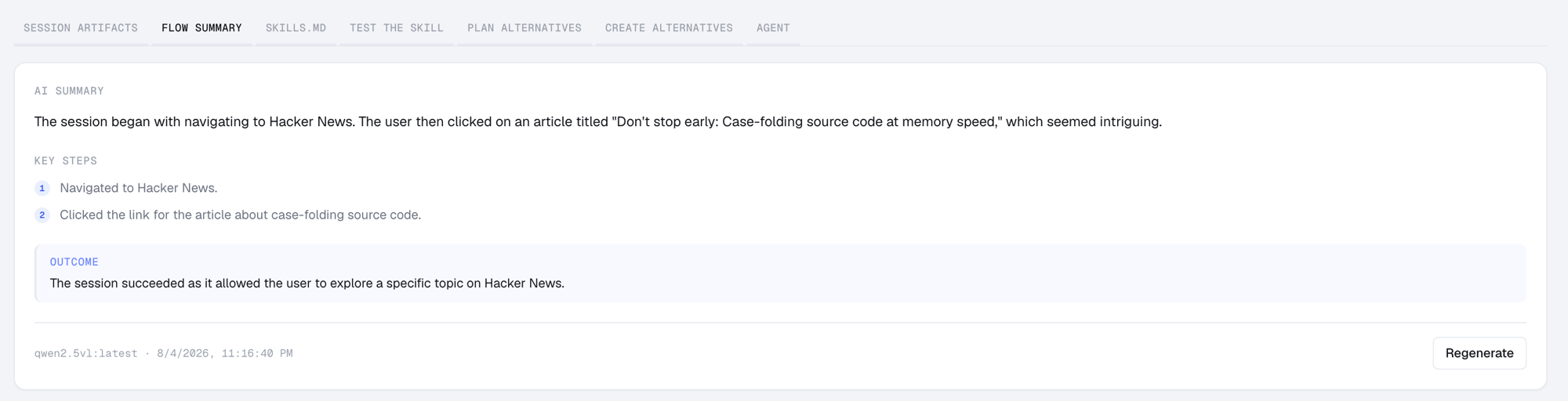
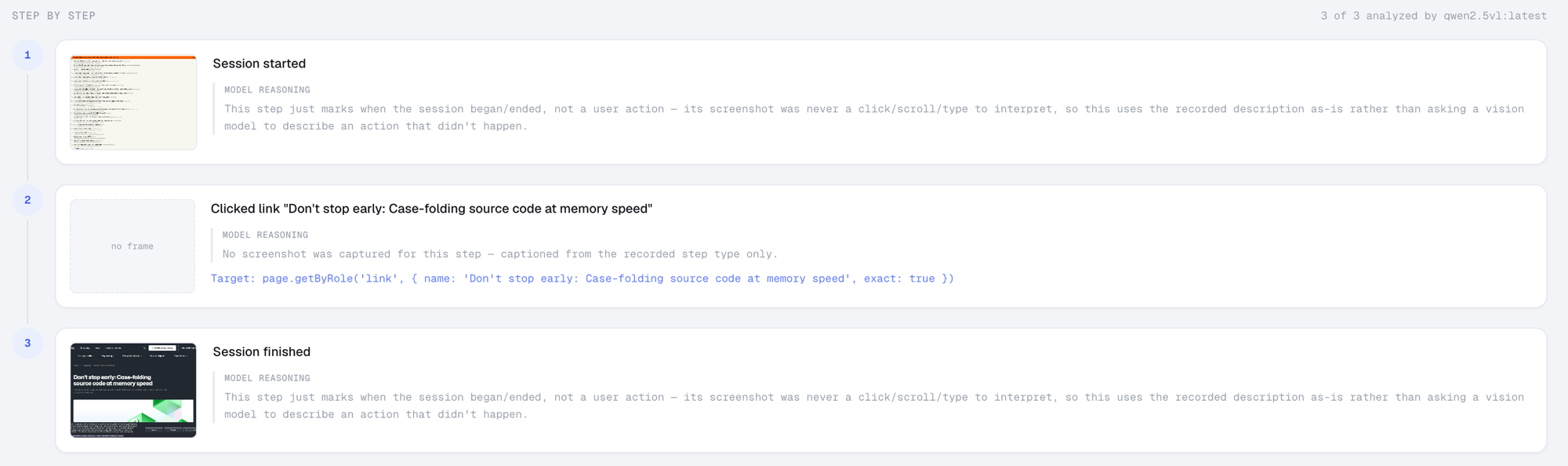
Summarization — the agent takes the screenshots and actions from that task and summarizes the complete flow.
-
Skill generation — from that summary, a
skills.mdfile is created for the task.Generated
skills.mdfor the Hacker News task--- name: hacker-news description: The session began with navigating to Hacker News. --- # hacker news The session began with navigating to Hacker News. The user then clicked on an article titled "Don't stop early: Case-folding source code at memory speed," which seemed intriguing. ## Start Navigate to: https://news.ycombinator.com/ ## Steps 1. Session started 2. Clicked link "Don't stop early: Case-folding source code at memory speed" Target: page.getByRole('link', { name: 'Don\'t stop early: Case-folding source code at memory speed', exact: true }) 3. Session finished ## Expected outcome The session succeeded as it allowed the user to explore a specific topic on Hacker News. --- -
Testing the skill — the generated
skills.mdis tested live against the website to confirm it can reproduce the user’s task exactly.
-
Alternative generation —
skills.md, along with the task artifacts (screenshots, DOM, DOM diffs, and accessibility tree for each action), is used to generate alternative tasks that are possible on the same website. A depth parameter controls how many steps are explored per alternative.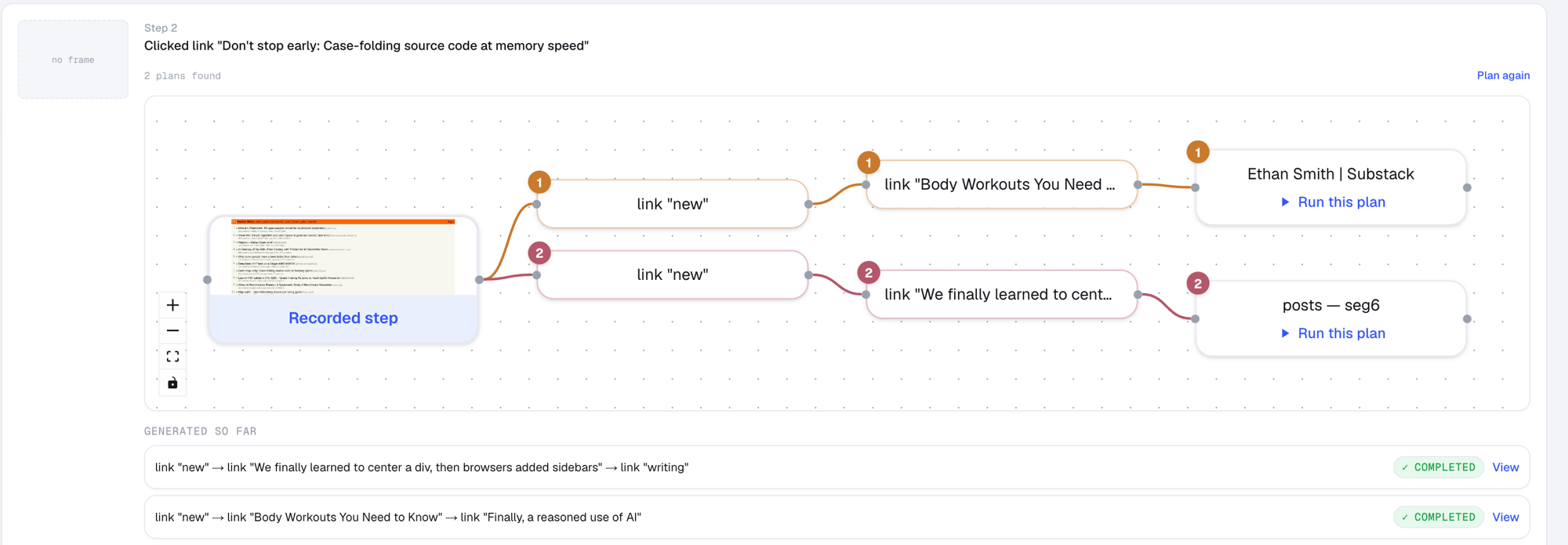


-
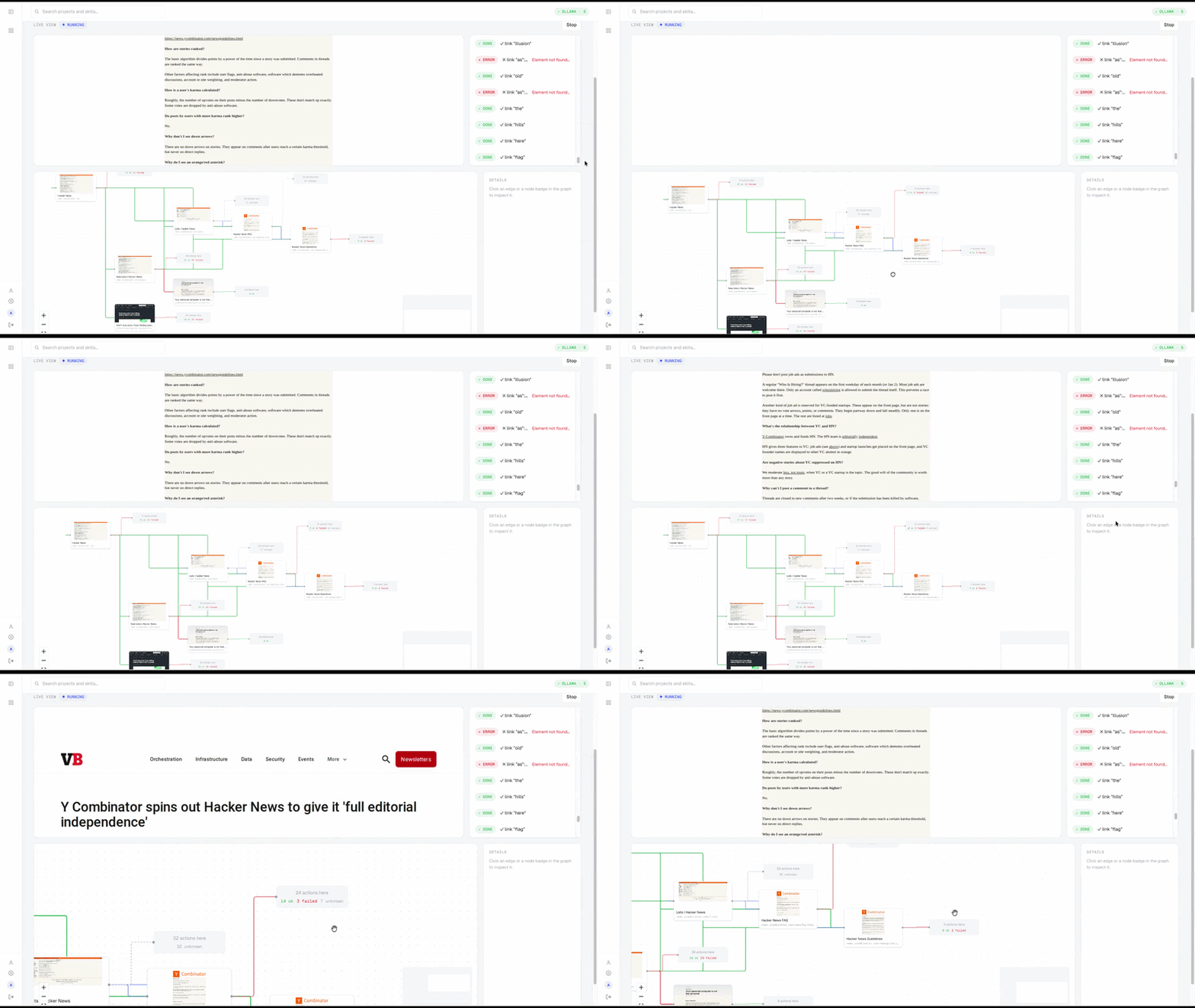
Knowledge graph construction — an automated pipeline generates these alternatives and writes the resulting task knowledge into Memgraph, forming a reference for future tasks.
-
Autonomous execution — given a prompt, the agent uses the knowledge graph to perform the requested task.
That’s the complete goal of the project.
Applications
- Automated testing — within an organization’s website, checking all possible options and letting agents run automated tests from just a prompt.
- Private, local skill development — building custom skills for websites that run locally, where data needs to stay private.
- A playground for skill optimization — using the platform to iterate on and refine skills.
Further, this platform could expand to testing agents on multistep tasks.
Conclusion
This is still an early prototype, tested on one website with one simple task. Making it robust across websites needs a lot more work: different DOM structures, dynamic content, logins, anti-bot checks, and layout changes all need handling. The alternative-generation and knowledge graph parts are also still untested at scale. It’s far from finished, but it’s a good base to keep building on.